

If you run a D2C e-commerce brand, you already know that your customers are present on WhatsApp.
The question is whether your team is ready to handle them if the conversations get scaled.
WhatsApp has over 3 billion monthly active users as per Statista. For D2C brands in India, it is the primary channel where customers ask questions and expect support from the brand.
But most brands are having difficulties in managing their customer chats on WhatsApp as the business grows. Maybe the messages get missed, or there is a delay in giving a response. And all such discrepancies lead to a bad customer experience.
To get these problems solved, we are discussing here, "Managing Customer Chats on WhatsApp: A Complete Guide for E-commerce Brands"
With this detailed discussion, you will exactly know what WhatsApp chat management is and why it matters for e-commerce businesses in India.
What Does Managing Customer Chats on WhatsApp Mean?
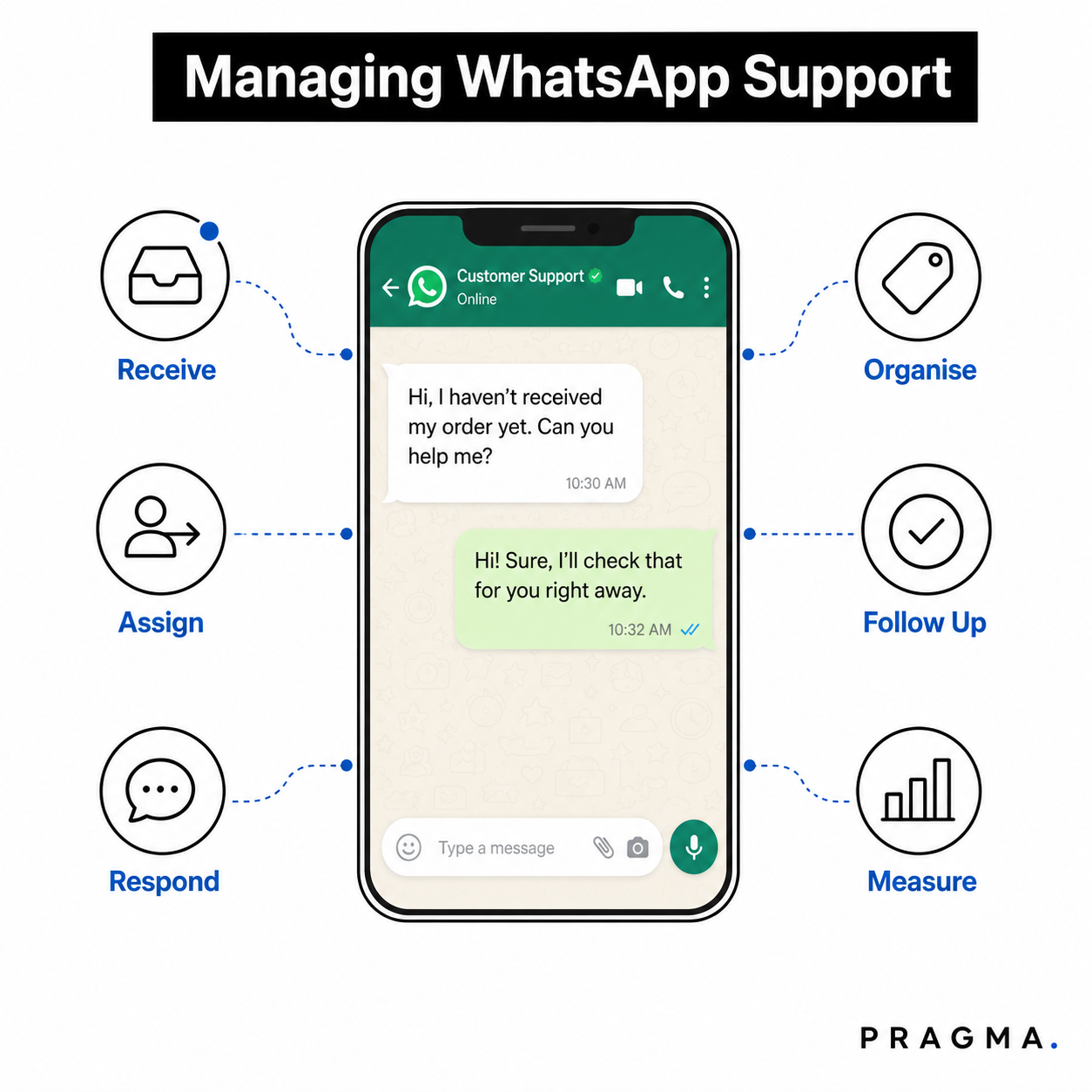
Managing customer chats on WhatsApp means having a structured system to receive, organise, assign, respond to, and track every customer conversation at scale.
Managing customer chats does not only mean that you have to reply to the customer messages. It is more than that.
E-commerce brands that are efficient in managing customer chats on WhatsApp do the following:
- Send customer chats to the right team member.
- Keep all customer conversations in one place.
- Automate replies to common questions.
- Respond to customers quickly and resolve issues faster.
- Connect WhatsApp with their CRM and e-commerce platform.
So, the above-mentioned points clearly define that if you want to provide your customers with better support, you need to have such systems that can efficiently manage all these tasks with less human involvement.
And such a support is provided by Pragma WhatsApp Business Suite to Indian D2C brands, where they connect to a centralised system where their entire team manages conversations, automates workflows, and tracks performance without switching between apps.
Why Has WhatsApp Become Essential for E-commerce Customer Communication?
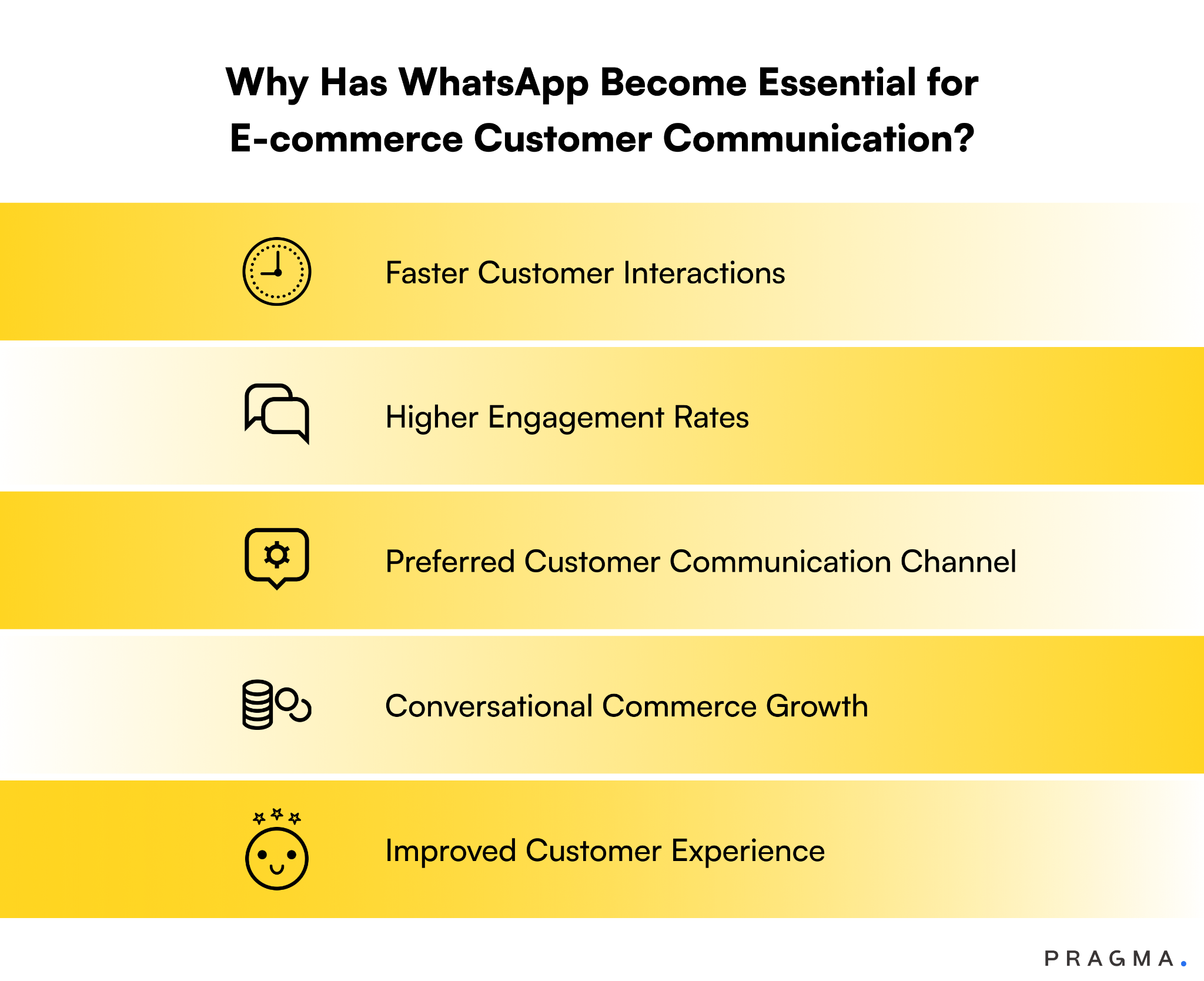
Have a look at the following points that state why WhatsApp has become an essential means of communication with customers for the e-commerce industry:
Faster Customer Interactions
Nowadays, customers expect fast replies.
According to HubSpot's 2024 Customer Service Report, 90% of customers rate an immediate response as important or very important when they have a question.
And WhatsApp delivers that speed because it is already on your customer's phone.
Unlike email, which has an average open rate of 20 to 30%, WhatsApp messages get opened within minutes.
Gartner reports that messaging channels like WhatsApp have response rates up to 40% higher than traditional support channels. This means that WhatsApp already has the best platform when it requires a faster means of communication to solve customer issues.
Higher Engagement Rates
WhatsApp messages achieve open rates of up to 98%, compared to email's average of 21.33% according to Mailchimp's Email Marketing Benchmarks.
For D2C brands running promotions, cart recovery, or post-purchase follow-ups, this difference is significant.
Pragma's broadcast feature lets D2C brands send targeted WhatsApp campaigns to segmented customer lists. Brands using Pragma have seen an average of 11X return on ad spend through WhatsApp promotions.
Preferred Customer Communication Channel
It is found that over 75% of adults prefer to message a business rather than call or email.
In India alone, WhatsApp has over 500 million users, making it the best channel to connect with customers.
As most people spend a lot of time on WhatsApp, they prefer to get interactions with brands on a similar platform if they have any queries or just want to place an order, rather than going to the website or downloading an application.
Conversational Commerce Growth
Conversational commerce is the practice of selling through chat. The conversational commerce spend will exceed $290 billion by 2025.
WhatsApp is the primary channel driving this growth in emerging markets. It can not just be here to chat.
Brands can also use it to recommend products, recover abandoned carts, and guide customers through the purchase process.
Improved Customer Experience
Customers who get fast, personalised responses on WhatsApp are more likely to complete purchases and returns.
Salesforce's State of the Connected Customer report found that 80% of customers say that the experience that a company provides is as important as its products or services.
When customers receive quick replies and timely updates in one chat, they build trust with the brand. And this means that brands can get higher conversion rates and revenues from the same customer later on.
Common Challenges in Managing Customer Chats on WhatsApp
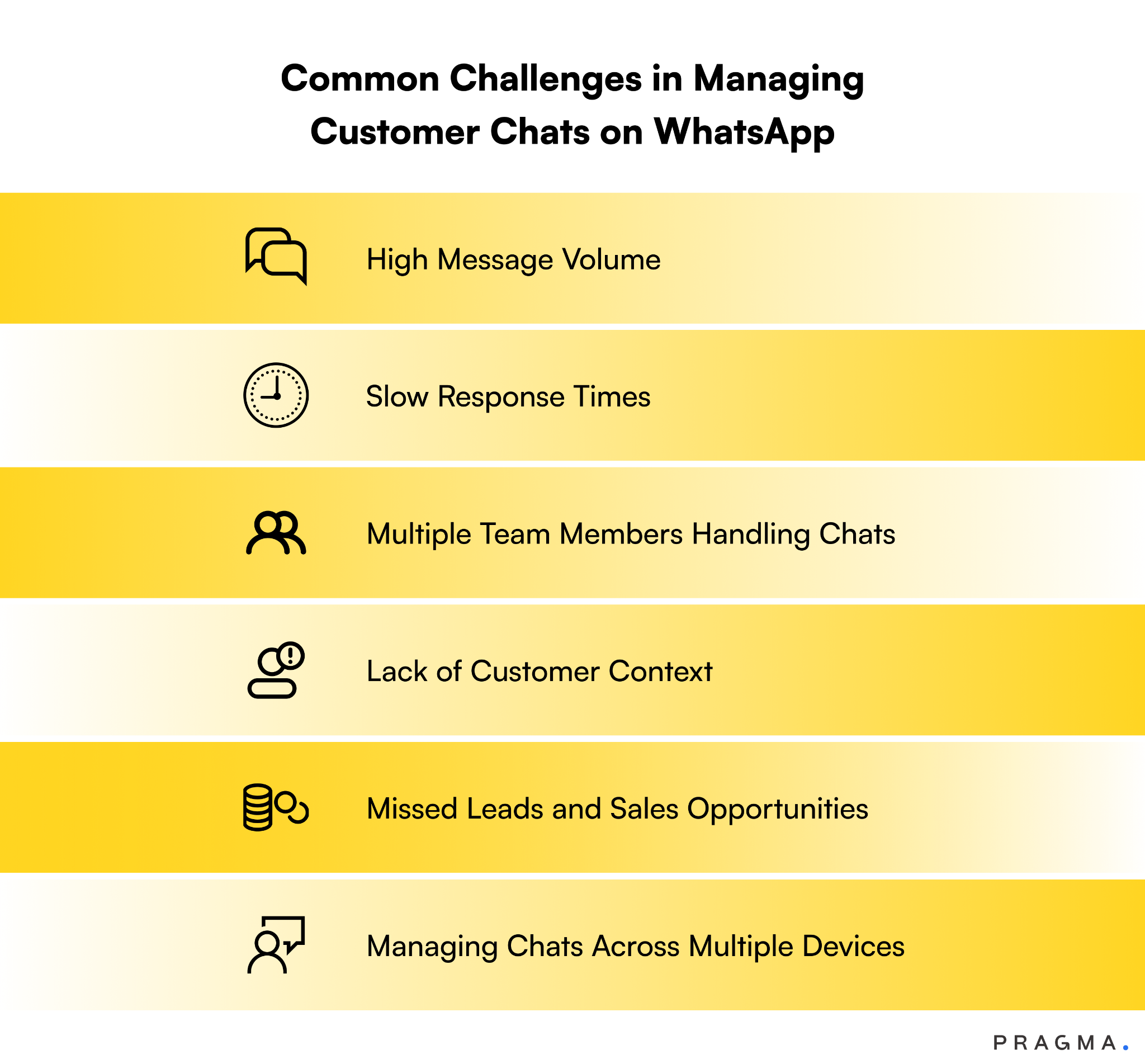
Although WhatsApp is a great channel to connect with customers for e-commerce brands, there are still some challenges that brands face while managing customer chats on WhatsApp.
Have a look at what challenges brands face:
High Message Volume
When D2C brands run campaigns on WhatsApp or have any sales events, at that time, they receive hundreds of WhatsApp messages in a single day.
And when they don't have a proper system to manage, their messages pile up, and customers wait for too long. This delay sometimes creates dissatisfaction among the customers.
Slow Response Times
When one person manages WhatsApp on a single phone, response times slow down.
It is being found that 66% of customers say valuing their time is the most important thing a company can do to provide good service.
And when brands respond slowly or take more time than usual, it can cost them fewer sales and unsatisfied customers.
Multiple Team Members Handling Chats
Some brands have a single WhatsApp to handle all customer support.
Sharing one WhatsApp number across a team without a proper system leads to duplicate replies, missed messages, and no accountability.
There is no way to know who is handling which conversation.
Lack of Customer Context
When a customer messages a brand for the third time about the same order, they expect that they already know the history.
But when brands don't have a proper CRM connected to WhatsApp, the customer support representative always asks from scratch about the order details or whatever the issue is. That frustrates customers and slows resolution.
Missed Leads and Sales Opportunities
According to a study by Harvard Business Review, leads contacted within 5 minutes of reaching out are 100 times more likely to convert than those contacted after 30 minutes.
And when brands lack the infrastructure on WhatsApp, they may miss a message, which means they missed a sale.
Managing Chats Across Multiple Devices
Many D2C teams use personal phones to manage WhatsApp.
This creates data silos, security risks, and zero visibility for managers. There is no way to track performance or ensure quality.
So, as a brand grows, WhatsApp chats also increase. It becomes hard to manage everything properly. Messages can get missed, replies can be slow, and customers may feel ignored.
Pragma Omnichannel CRM makes this simple. It brings all the chats in one place, so your team can handle them easily. Everyone can see messages, reply faster, and work together without confusion.
What are the Benefits of Efficient WhatsApp Chat Management?
An efficient WhatsApp chat management can provide the following benefits to e-commerce brands:
Faster Customer Support
Studies show that 46% of customers expect a reply within 4 hours or less, and many expect even faster responses on messaging apps like WhatsApp.
When brands use proper WhatsApp chat systems, they can reply quickly by routing chats to the right agent instantly, instead of keeping customers waiting.
Higher Conversion Rates
Studies show that when businesses respond within 1 hour, they are 7x more likely to convert leads. On WhatsApp, fast replies help customers decide faster and complete purchases.
Brands using Pragma's WhatsApp automation for cart recovery have seen conversion increases of up to 15%.
Better Customer Satisfaction
Zendesk's Customer Experience Trends Report 2024 found that 73% of customers will switch to another brand after multiple bad experiences.
Efficient chat management reduces these situations and keeps customers satisfied.
Reduced Agent Workload
McKinsey reports that up to 30% of support questions are simple and repetitive, like order tracking or return status.
These can be automated, so agents don't waste time repeating the same answers. Pragma automates over 75% of support queries, freeing the brand to focus on complex issues that need human attention.
Increased Customer Retention
Research by Bain & Company shows that 5% increase in customer retention can increase profits by 25% to 95%.
And when brands provide good WhatsApp support, it helps customers come back and buy again.
Improved Team Productivity
Zendesk reports that teams using a shared system can handle 25–40% more customer chats per day compared to managing WhatsApp manually on phones.
When agents have full customer context, automated templates, and clear chat assignments, they handle more conversations in less time.
Key Features Needed for Managing Customer Chats on WhatsApp
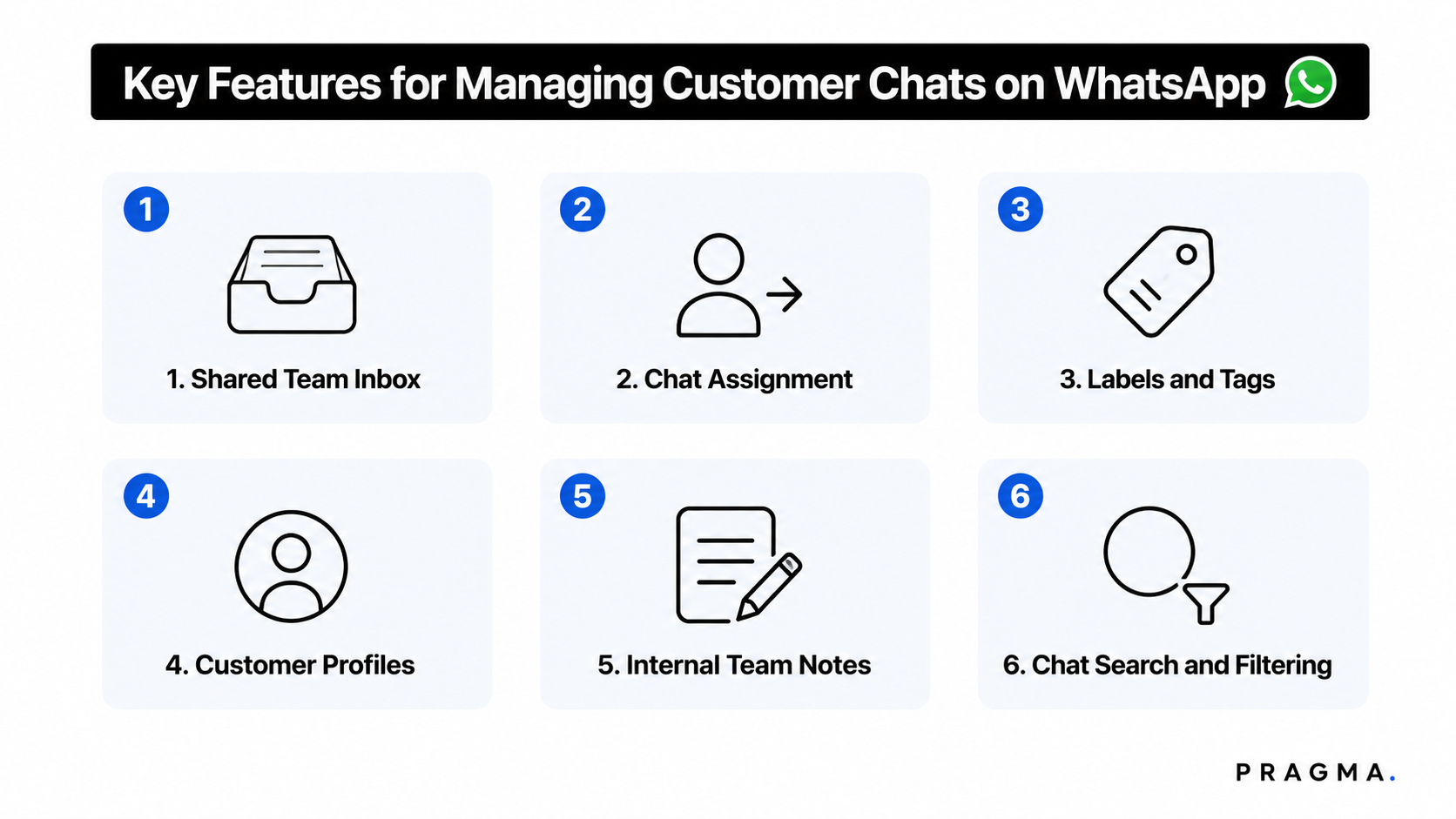
The following key features must be present in the system to manage chats efficiently:
Shared Team Inbox
A shared team inbox means all WhatsApp messages from customers come into one single place that the whole team can use.
Instead of checking messages on different phones, everyone can see all chats in one dashboard.
This makes it easy for teams to work together because no message is hidden or missed, and every customer message is visible in real time.
Chat Assignment
Chat assignment means each customer conversation can be given to a specific team member. So, when a message comes in, the manager or system can assign it to one agent.
This helps avoid confusion because everyone knows who is responsible for replying. It also prevents two people from replying to the same customer, or no one replying at all.
Labels and Tags
Labels and tags are used to organise customer chats in a simple way. For example, a chat can be tagged as "order issue," "new customer," or "refund request."
This helps the team quickly understand what the conversation is about without reading the full chat every time. It also makes it easy to find and manage similar types of customer queries together.
Customer Profiles
Customer profiles mean all details about a customer are saved in one place, like their name, order history, past chats, and issues.
So when the customer messages again, the support agent can quickly see their full background without asking everything again.
This helps in giving faster and more personal support.
Internal Team Notes
Internal team notes are small messages that team members can leave inside a chat for other teammates. These notes are not visible to the customer.
For example, one agent can write that the issue is already being checked or needs approval. This helps the team stay aligned and understand what has already been done in the conversation.
Chat Search and Filtering
Chat search and filtering help teams quickly find any customer chat without scrolling through everything. They can search by name, order ID, or issue type.
They can also filter chats like "open," "pending," or "urgent." This saves a lot of time and helps agents respond faster, especially when there are many conversations happening at the same time.
How WhatsApp CRM Helps Manage Customer Chats?
Here is how a WhatsApp CRM can help D2C brands in managing their customer chats efficiently:
Centralised Customer Data
A WhatsApp CRM keeps all customer information in one place.
Instead of checking different tools or spreadsheets, teams can see everything, like customer name, contact details, orders, and past issues, in one dashboard.
This makes it easy for agents to understand the customer quickly and reply without wasting time.
Unified Conversation History
This means all chats with a customer are stored together in one timeline.
Even if the customer messages many times or talks to different agents, the full history is visible in one place.
So the support team does not need to ask the same questions again and again, and customers don't have to repeat themselves. And this is exactly what Pragma Omnichannel CRM does!
Automated Lead Management
With WhatsApp CRM, new customer messages or leads are automatically captured and organised. Leads can be assigned to the right sales or support person without manual effort.
This helps brands respond faster and makes sure no lead is missed, which improves chances of conversion.
Customer Segmentation
Customer segmentation means grouping customers based on their behaviour, purchase history, or interests.
For example, new customers, repeat buyers, or high-value customers can be grouped separately.
With this segmentation, brands can send more relevant messages and offers to the right group, instead of sending the same message to everyone.
Omnichannel Customer Visibility
This means brands can see customer conversations from different channels (like WhatsApp, email, or website chat) in one place.
So even if a customer switches channels, the team still has full context about the customer. This helps in giving smooth and continuous support without confusion or repeated explanations.
Pragma WhatsApp Business Suite helps brands manage all WhatsApp chats. Teams can see all messages in one inbox, reply faster, assign chats to the right person, and stay organised so no message is missed.
Whereas Omnichannel CRM helps brands understand every customer better. It shows customer details, past chats, and order history in one place, so the team doesn't need to ask the same questions again.
Thus, brands can handle more WhatsApp chats easily, reply quickly, and give better customer support without confusion.
Step-by-Step Process for Managing Customer Chats on WhatsApp
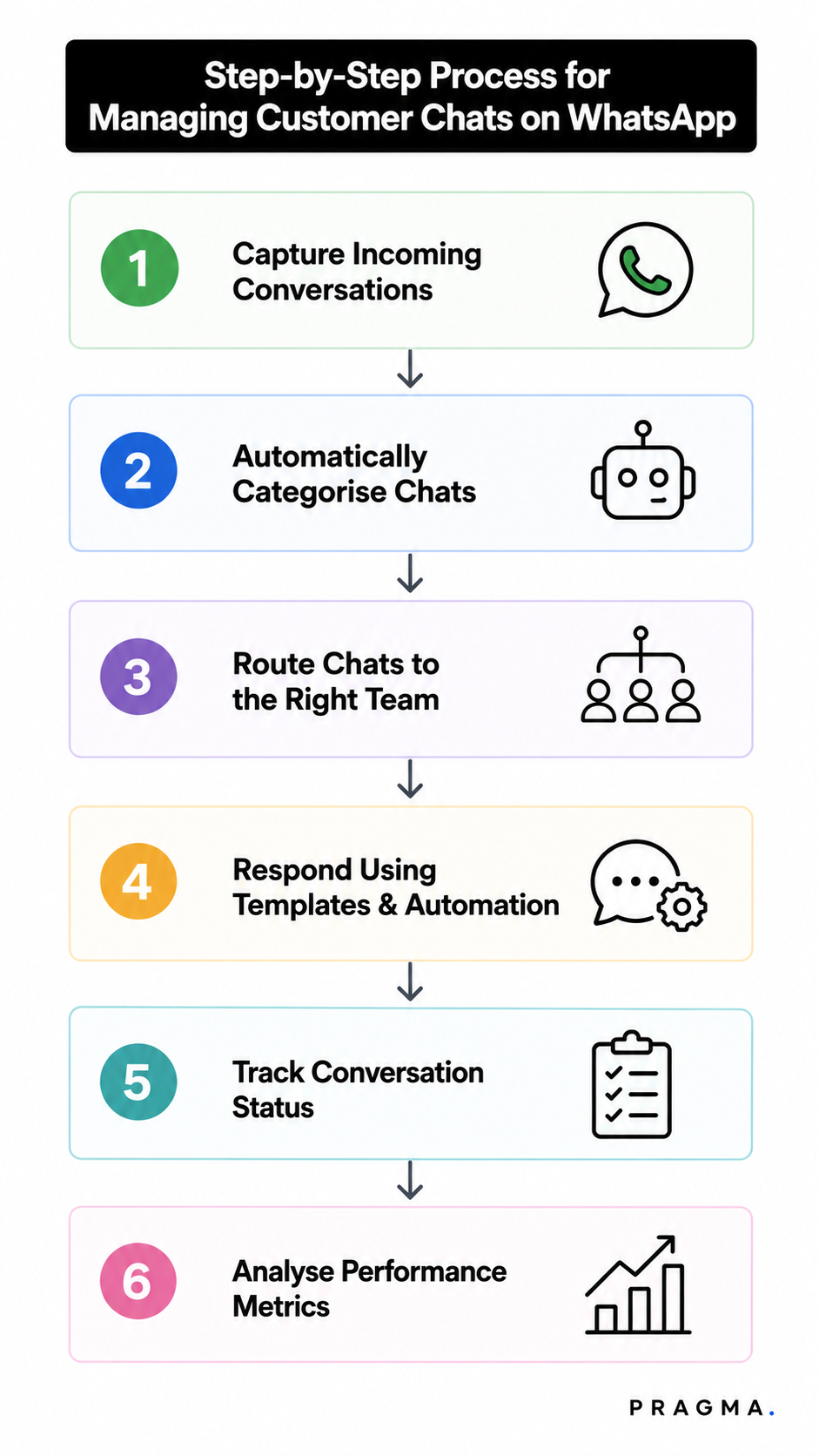
By following the given steps, e-commerce brands can be efficient in managing customer chats:
Step 1: Capture Incoming Conversations
The first step is to collect all customer messages coming on WhatsApp in one place.
Whenever a customer sends a message, it should automatically appear in the system so nothing gets missed.
This helps the team stay updated in real time and makes sure every customer gets attention. Instead of checking multiple phones or chats, everything is visible in one dashboard.
Step 2: Automatically Categorise Chats
After messages come in, they are automatically sorted based on what the customer needs.
For example, some chats may be about order tracking, returns, or new product questions.
By grouping chats in this way, the team can quickly understand what the customer wants without reading the full message every time.
Step 3: Route Chats to the Right Team
Once chats are categorised, they are sent to the right team member.
For example, sales-related questions go to the sales team, and support issues go to the support team.
This makes sure the right person handles the right problem. It also prevents delays because customers do not have to wait for someone to forward their message manually.
Step 4: Respond Using Templates and Automation
To reply faster, teams use ready-made message templates for common questions like "Where is my order?" or "What is the return policy?"
Automation can also send instant replies as soon as a message is received.
This helps customers get quick answers and reduces the workload on the support team because they don't have to type the same replies again and again.
Step 5: Track Conversation Status
Every customer chat is tracked to see whether it is open, in progress, or solved.
This helps the team know which customers still need help and which issues are already closed.
It also helps managers make sure no chat is left unanswered for a long time.
Step 6: Analyse Performance Metrics
In the last step, brands check how well their WhatsApp support is working.
They look at things like response time, number of chats resolved, and customer satisfaction levels.
This helps them understand what is working well and what needs improvement.
Best Practices for Managing Customer Chats on WhatsApp
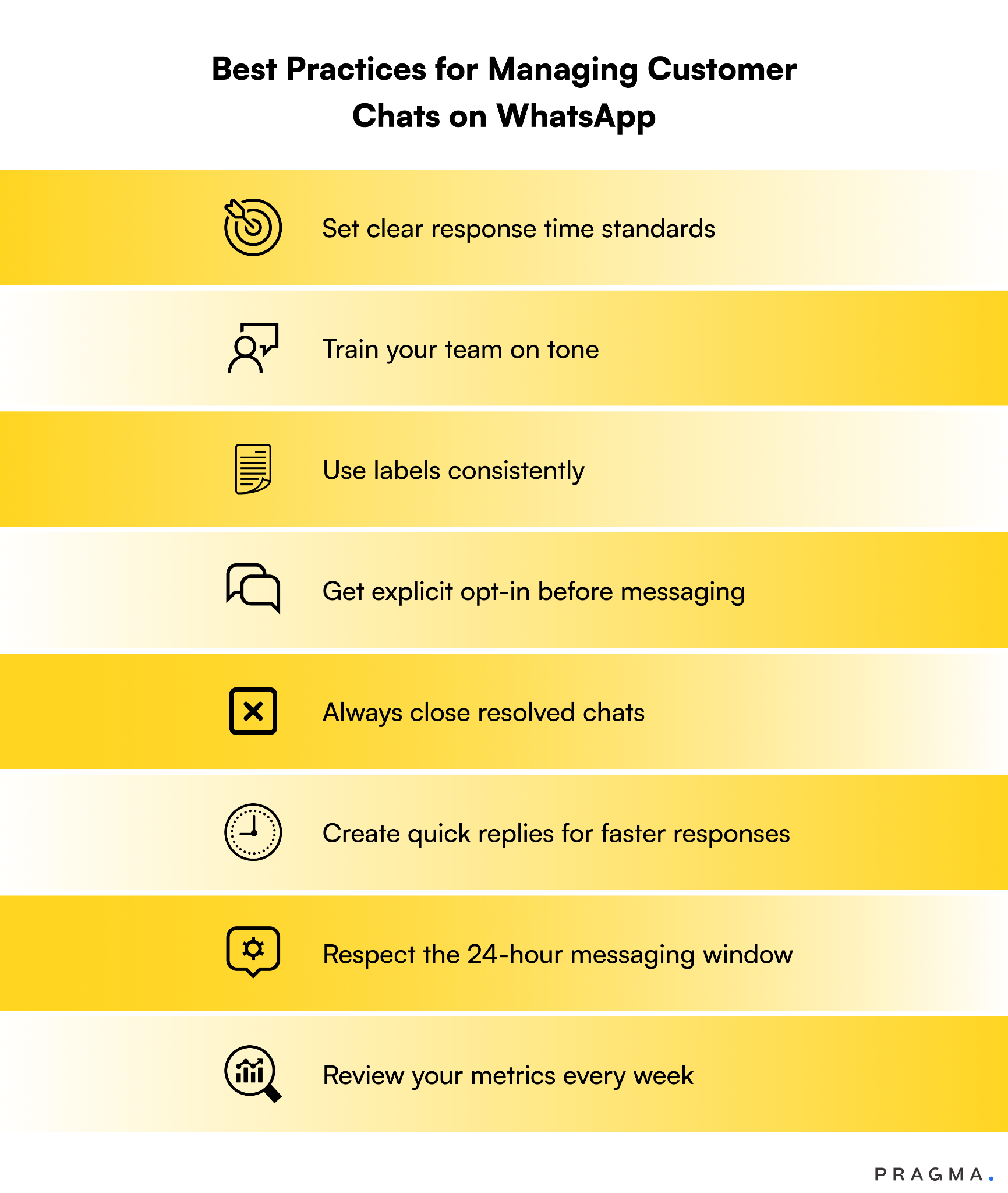
Have a look at the following practices, which can be followed by an e-commerce brand that wants to manage its customer chats on WhatsApp effectively:
Set clear response time standards- The very first practice that every brand should work on is to set a clear timeline of what is considered fast communication. Define what "fast" means for your team. For example, it can take 5 minutes to make a reply to the customer.
Train your team on tone- What should be the tone of the messages when communicating with the customers is very important. As WhatsApp is a personal channel, responses should be friendly, clear, and concise. It should not feel too tough or robotic.
Use labels consistently- Brands should create a standard labelling system and make sure every agent uses it the same way. If there are issues with labelling, it will hamper the filtering and reporting.
Get explicit opt-in before messaging- Always get customer consent before sending WhatsApp messages. This is required by Meta's policies and protects your number from being flagged as spam.
Always close resolved chats- E-commerce brands should not let old, resolved conversations remain in the inbox. They should mark them closed so your team focuses only on active issues.
Create quick replies for faster responses- There are always such queries from different customers that require the same answers, like return process, refund initiation, etc. For that, teams should create a set of quick replies so that faster responses can be made.
Respect the 24-hour messaging window- WhatsApp Business API only allows free-form messages within 24 hours of the last customer message. After that, you need a pre-approved template. So brands should plan their follow-up workflows around this rule.
Review your metrics every week- Metrics such as resolution rate, response time, and customer satisfaction scores should be reviewed weekly. This will help brands catch problems before they affect their customers.
E-commerce Use Cases for WhatsApp Chat Management
WhatsApp chat management helps online businesses handle customer messages in an easy and organised way. It makes communication faster, improves customer service, and saves time for support teams.
Here are some common ways e-commerce businesses use WhatsApp chat management.
1. Answering Customer Questions
Customers often have questions about products, prices, sizes, payments, or delivery. They can send a message on WhatsApp and get a quick reply.
This helps customers get the information they need before making a purchase.
2. Sharing Order Updates
After placing an order, customers want to know what is happening with it.
Businesses can send WhatsApp messages to confirm the order, tell customers when it has been shipped, and let them know when it will be delivered.
3. Helping Customers Find Products
Sometimes customers are not sure which product to buy. They may ask about different colours, sizes, or features.
Businesses can answer these questions on WhatsApp and help customers choose the right product.
4. Handling Returns and Refunds
If a customer wants to return a product or ask for a refund, they can do it through WhatsApp.
The brands can collect the required details and guide the customer through the process, making it simple and quick.
5. Reminding Customers About Their Cart
Many customers add products to their cart but do not complete the purchase.
Businesses can send a friendly WhatsApp reminder to encourage them to finish buying the products.
6. Sending Special Offers
Businesses can use WhatsApp to tell customers about discounts, sales, new products, or festive offers.
This helps customers stay updated and may encourage them to shop again.
7. Collecting Customer Feedback
After an order is delivered, businesses can ask customers if they liked the product or service.
Customers can easily share their feedback on WhatsApp, helping the business improve its service.
8. Staying Connected After the Purchase
Brands can continue talking to customers even after the order is delivered.
They can share product care tips, ask if customers need any help, or remind them when it is time to buy again. This helps brands to build a good relationship with customers.
How AI Is Transforming WhatsApp Chat Management?
Artificial Intelligence (AI) is making WhatsApp chat management much easier for businesses. It can reply to customer messages in seconds, answer common questions, and help customers at any time of the day.
Some of the ways AI is transforming WhatsApp chat management include:
- Instant Replies
- 24/7 Customer Support
- Smart Chat Routing
- Personalised Customer Experience
- Handling Large Numbers of Chats
- Helping Human Agents
Meta has introduced AI-powered business agents for WhatsApp that can answer customer queries, recommend products, qualify leads, and hand over complex conversations to human agents when needed.
In addition, more than 200 million businesses worldwide now use WhatsApp Business, making it one of the largest platforms for customer communication.
According to a recent Adobe report (2026), 78% of businesses expect AI agents to handle customer support within the next 18 months. This shows how quickly AI-powered customer service is becoming the new standard.
Metrics to Measure WhatsApp Customer Chat Performance
Every e-commerce brand should measure the following metrics:
First Response Time (FRT)
This measures how long a business takes to send the first reply after a customer sends a message.
Resolution Time
This measures the total time it takes to solve a customer's problem from the beginning to the end of the conversation.
Customer Satisfaction (CSAT)
This measures how happy customers are with the support they received. Customers usually give a rating after the chat is completed.
Resolution Rate
This shows the percentage of customer issues that are successfully solved. A higher resolution rate means the support team is handling customer problems effectively.
Missed Chats
This shows the number of customer messages that did not receive a reply. Businesses should try to keep missed chats as low as possible.
Repeat Queries
This measures how often customers contact the business again for the same issue. A lower number means customer problems are being solved the first time properly.
Wrapping Up
Thus, managing customer chats on WhatsApp is not a nice-to-have for D2C e-commerce brands. It is a core business function.
Your customers are on WhatsApp. They expect fast, personalised, and consistent responses. Brands that deliver this build loyalty and drive repeat revenue. Brands that do not lose customers to competitors who do.
The difference between a chaotic WhatsApp inbox and a high-performing customer communication system requires three things: the right platform, the right processes, and the right automation.
Pragma WhatsApp Business Suite gives D2C brands all three. From shared team inboxes and automated workflows to CRM integration and campaign analytics, Pragma is built for the specific needs of e-commerce brands that want to turn WhatsApp into a revenue channel.

FAQs (Frequently Asked Questions On Managing Customer Chats on WhatsApp: A Complete Guide for E-commerce Brands)
1. How can eCommerce brands manage customer chats on WhatsApp?
eCommerce brands can manage customer chats on WhatsApp by using the WhatsApp Business API, shared team inboxes, CRM integrations, automated routing, and conversation assignment to handle customer queries efficiently at scale.
2. What is a shared WhatsApp inbox?
A shared WhatsApp inbox allows multiple support and sales agents to access, manage, assign, and respond to customer conversations from a single WhatsApp Business number while maintaining conversation history and accountability.
3. Why do eCommerce brands need WhatsApp chat management software?
WhatsApp chat management software helps brands organise customer conversations, reduce response times, automate repetitive tasks, improve agent productivity, and deliver a consistent customer experience across high conversation volumes.
4. How does the WhatsApp Business API help manage customer conversations?
The WhatsApp Business API enables brands to support multiple agents, automate conversations, integrate with CRM platforms, trigger notifications, and manage customer communication securely at scale.
5. How can CRM integration improve WhatsApp customer support?
CRM integration gives support teams access to customer profiles, purchase history, previous conversations, and order details, allowing agents to provide faster and more personalised support.
6. How can WhatsApp automation improve customer service?
WhatsApp automation improves customer service by automatically responding to common queries, routing conversations to the right teams, sending order updates, and triggering support workflows based on customer actions.
7. What features should businesses look for in WhatsApp chat management software?
Key features include a shared inbox, multi-agent support, CRM integration, conversation assignment, chatbot automation, analytics, customer segmentation, internal notes, and performance reporting.
8. What are the benefits of using WhatsApp for customer support?
WhatsApp enables faster response times, higher customer engagement, personalised communication, proactive notifications, and convenient support through a channel customers already use daily.
9. How can eCommerce brands reduce response times on WhatsApp?
Brands can reduce response times by using automated replies, conversation routing, team inboxes, CRM integration, chatbots, and predefined response templates for common customer queries.
10. What metrics should eCommerce brands track for WhatsApp customer support?
Important metrics include first response time, average resolution time, customer satisfaction (CSAT), conversation volume, agent productivity, resolution rate, response rate, and customer retention.
Talk to our experts for a customised solution that can maximise your sales funnel
Book a demo.jpg)


.png)